
Generative AI for
Smarter Studying
Practical ways to use AI to plan your week, get started on work, understand difficult material, prepare for exams and write in your own voice.
Craig Smith
MINDS Student Network · American University of Beirut
Who I am and why I'm talking about this
- I'm an educator from Newcastle, Australia. For about twenty years I've worked in autism and inclusive education.
- Most of my work is with schools, teachers and families of autistic and neurodivergent young people. University is newer territory for me, so tell me in the chat when something doesn't fit your experience.
- I use AI every day: to plan my days, to think out loud, to write, and to build small tools for people I work with.
- Everything in this session is something I use myself, or something I've seen help the people I work with.
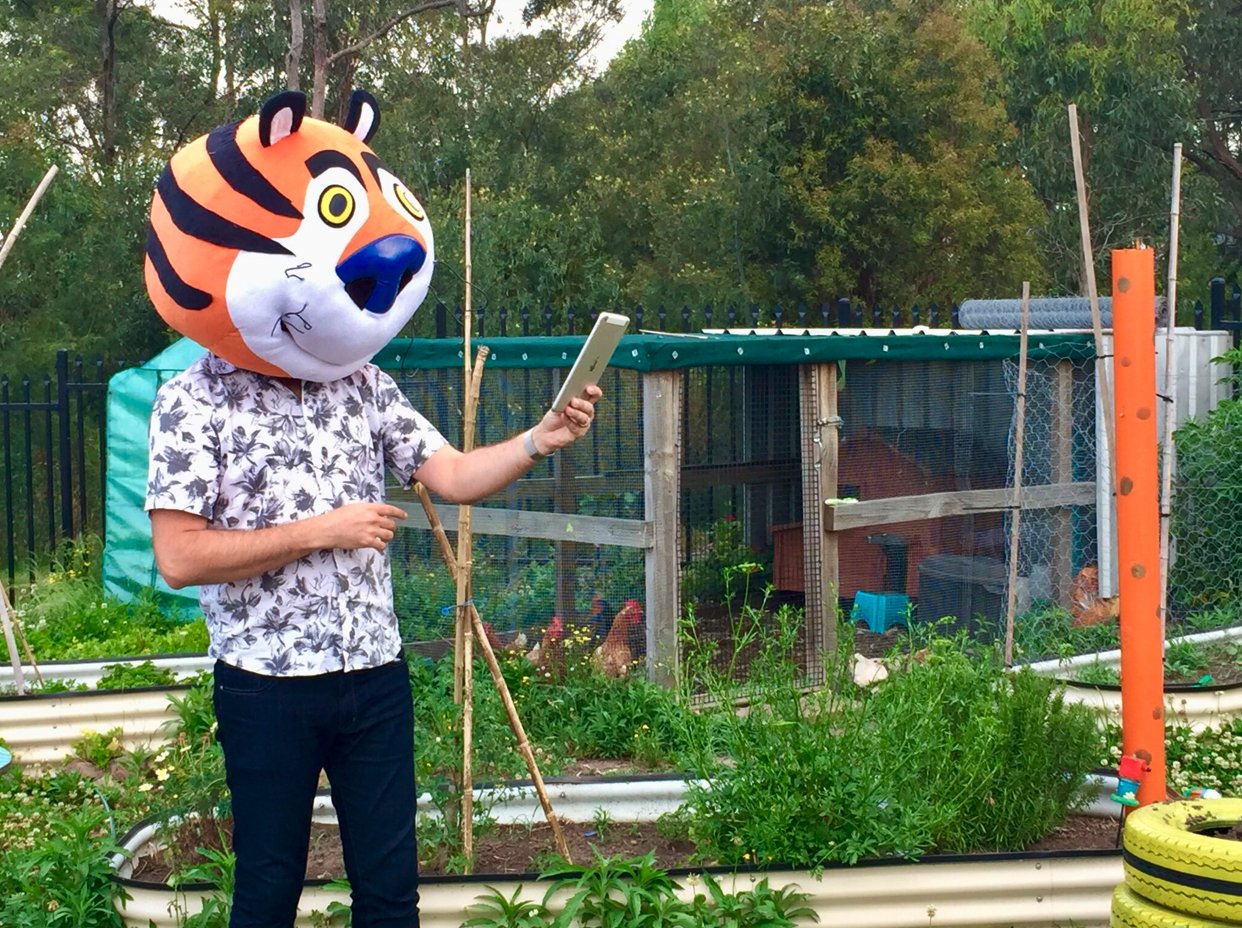
What I care about
Every mind works a little differently, often in ways nobody can see. Technology has improved access for hearing, vision and mobility for decades. Support for how we think, plan and organise has been slower to arrive. I think AI can help with that, if we use it in a way that fits how each of us works.
What we'll cover in this session
1 · How you work
Executive functioning, and how to tell AI what kind of help works for you.2 · Planning your week
A realistic plan that includes the rest of your life, and what to do when it changes.3 · Getting started
Assignments in small steps, starting when you're stuck, focus and energy.4 · Understanding and remembering
Dense readings, practice questions, checking your working, exams.5 · Writing in your own voice
Getting feedback on a draft without handing your writing over.6 · Using AI mindfully
What AI gets wrong, integrity and privacy, and whether we're using it too much.Then 15 minutes for your questions. The slides and a strategies page with everything you see today will be shared afterwards.
How students use AI now, and what they want to learn
Most people who answered use AI at least a few times a week, and nearly all of them use ChatGPT. It's mostly used to understand material. The top request, planning a realistic week, is something very few people use it for yet.
What AI is used for
What students want to learn
Where studying gets hard, and how students said they learn
The hardest parts were about attention and thinking, not organisation. Everyone who answered chose at least one way of learning on the right, but only a couple of people said they think they might be neurodivergent. These are descriptions of how people work, and they're what we'll design around today.
Where people get stuck
How people learn
Your worries and questions, in your words
What worries you about using AI
- Becoming too dependent on AI
- Believing an incorrect answer without noticing
- Academic integrity and where the boundaries are
- Losing confidence in doing tasks on my own
What you asked me to address
How you work
Executive functioning, and how to tell AI what kind of help works for you.
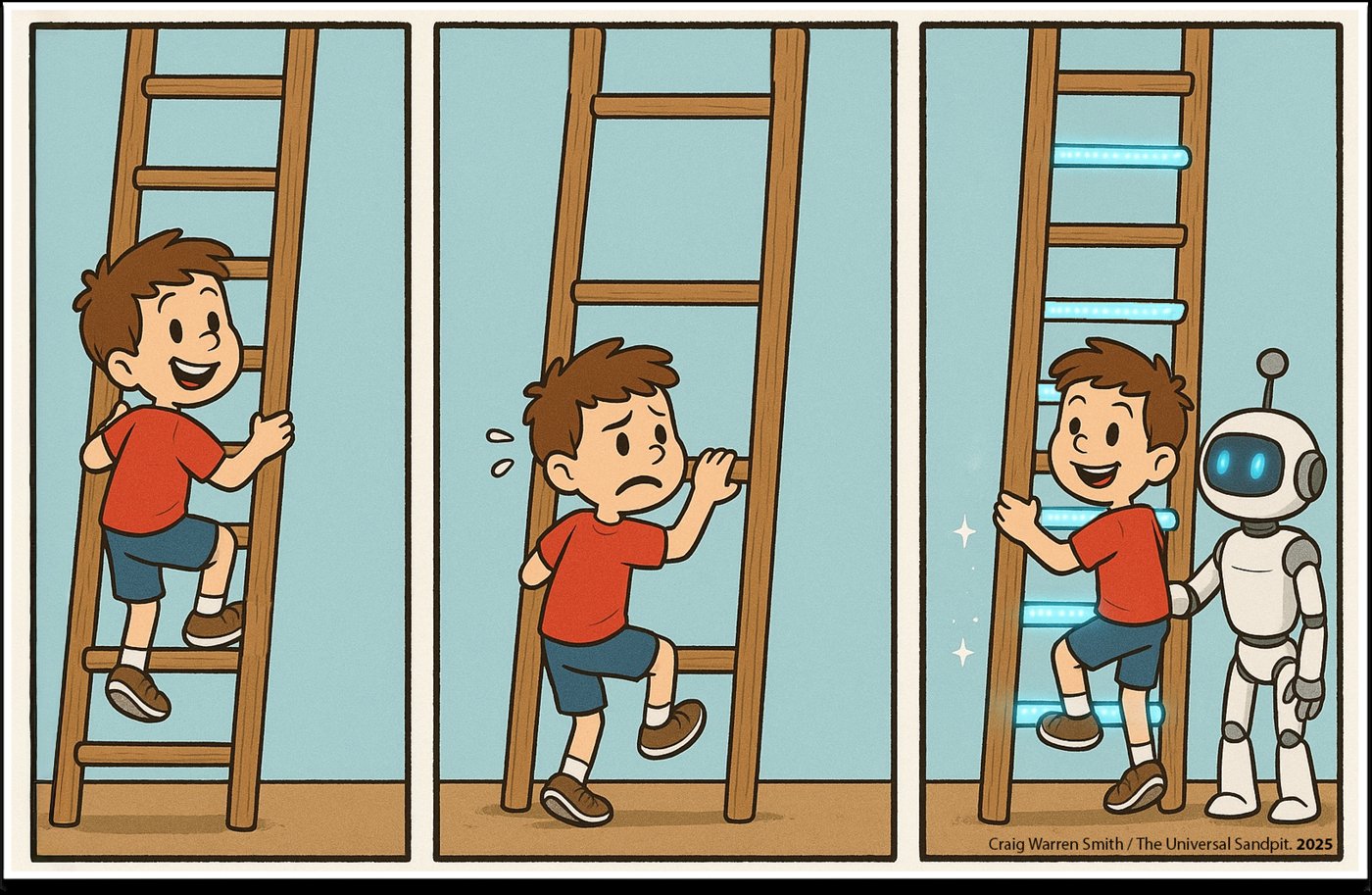
Executive functioning is how we manage our thoughts and actions
Executive functions are the brain processes that help us plan, organise, start, keep track, shift attention and manage our feelings while we work.
A way I like to think about it: your brain is like a business, and executive functioning is the admin team. However skilled the rest of the staff are, if the admin team is stretched thin, work doesn't get done.
Knowing how to do a task and being able to start it are two different things. This came up often in the survey.
thinking about your own thinking
Areas adapted from Positive Partnerships, Executive Functioning Strategies.
What AI can do to support executive functioning
| Area | What can be hard | What you can ask AI to do |
|---|---|---|
| Planning | Turning a big task or a busy week into steps | Break the task into steps in order, with a time estimate for each |
| Organisation | Notes, files and deadlines all over the place | Sort a brain dump into tasks, dates and things to check |
| Time management | Underestimating how long things take | Compare your estimates with how long things actually took, and adjust next week |
| Working memory | Holding long instructions in your head | Turn instructions into a short checklist you keep beside your work |
| Task initiation | Getting started, even when you know what to do | Give you one small first action, then wait until you've done it |
You can tell AI what kind of help works for you
AI will change its format, pace and level of detail if you ask. You don't have to explain why.
| If this is hard for you… | …you could say this |
|---|---|
| Long blocks of text | "Use short sections, each with a heading and one example." |
| Long instructions | "Give me one step at a time. Wait until I say done before the next one." |
| Half-formed ideas | "Let me talk first. Don't organise anything until I say I'm finished." |
| Unfamiliar terms | "Keep the technical terms, but explain each one in plain language with an example." |
| Seeing how ideas connect | "Show this as a diagram or a table before you explain it." |
Write a short "How I Work" note and give it to AI
A How I Work note is a few lines about how you think and what helps you. You write it once, and AI uses it every time.
If you'd like to design your own AI study assistant, this note is the first step.
Include:
- How you like information to look
- What helps you start
- What overwhelms you
- What AI should never do for you
Save your note so you don't have to repeat it
ChatGPT
Settings → Personalisation → custom instructions (for every chat), or a Project for each course with the note as its instructions.Claude
A Project for each course, with the note in the project instructions. Or add it to your profile preferences.Gemini
Make a Gem with the note as its instructions, or save it under Gemini's saved info.NotebookLM
One notebook for each course. Add the note as a source, or paste it at the start of a chat.Write your own How I Work note now, and test it
Minutes 1–2 · Write
Three lines, finishing these sentences:- "Information works best for me when…"
- "When I can't start, help me by…"
- "Never do this for me: …"
Minute 3 · Test
Paste your note into any AI, then ask:Minute 4 · Fix one line
Did the answer fit you? If it gave you six steps when you wanted one, change that line in your note.That change is the skill.
A template with suggestions you can click: tools.theuniversalsandpit.org/smarter-studying/how-i-work
No account, or you'd rather not? Write it on paper and keep it for later. If you're happy to, share one line in the chat.
Planning your week and getting started
Talking through your week, a plan that includes the rest of your life, what to do when it falls apart, and looking back at how the week went.

How I plan my own days with AI: Rhythm, Insight, Play
Most mornings I put the lead on my dog, put my headphones on and talk with AI in voice mode while we walk.
I tell it what I have on, and ask it to help me remember what I've forgotten, put things in order, and break down anything I'll struggle to start.
Talking out loud helps me stay with one line of thought instead of losing it and starting again.
Rhythm · every day
Talk through what's on today and this week. Get help ordering it, estimating time and breaking tasks down.Insight · end of the week
Give AI your notes from the week. Ask what patterns it notices: what took longer, what you avoided, what gave you energy.Play · whenever you need it
Use AI to explore ideas and interests with no assignment attached. Rest is part of the week too.theuniversalsandpit.org/rhythm-insight-play
Talk through everything you need to do, out loud
- Open voice mode on your phone or laptop. Walking is fine, and messy is fine.
- Say everything: deadlines, classes, work shifts, family, what you're worried about.
- Include the rest of your life: meals, sleep, exercise, friends, rest.
- Ask AI not to organise anything until you say you're finished.
Many people in the survey said they think better out loud. This is the easiest place to start.
- Deadlines: lab report Thu 5pm, stats quiz Fri 9am
- Fixed: café Tue night, family lunch Sun, friends Fri night
- Keep if possible: gym Mon and Wed
- Low-energy day: Tuesday
Let AI ask you questions before it makes the plan
A good plan needs information you might not think to mention. Ask AI to interview you first, one question at a time.
| AI might ask… | Why it matters |
|---|---|
| What have you already done? | So it only plans the work that's left |
| When do you focus best? | Hard tasks go in your best hours |
| How long did this kind of task take last time? | Realistic time estimates |
| What must stay free? | Rest and people are protected |
Ask for a plan that includes the rest of your life
Put the plan into your calendar
Connect your calendar
ChatGPT, Claude and Gemini can connect to Google Calendar (and some to Outlook). AI can then read your real week and suggest times around it. Check each event before you add it.Ask for a calendar file
No connection? Ask: "Turn this plan into an .ics calendar file I can import." Open it and the events go into your phone or laptop calendar.Ask for reminders
"Which three moments this week need a reminder?" Then set them on your phone. For example, "Thursday 11:30: check the report against the rubric."A plan helps most when you can see it in the places you already look.
Keep one conversation for the week and update it when things change
One student wrote: "I wish AI could help me create a realistic study plan that adapts when I fall behind."
- Name the chat, for example "Week of 12 October", and pin it.
- Come back to it when something changes, and tell it what's finished.
- Ask it to re-plan only the work that's left, and to tell you honestly if it doesn't fit.
- Wed 2–4: methods and results (shorter, since the tables are done)
- Thu 8:30–11: discussion
- Thu 11:30: rubric check
- Quiz practice moves to Thu evening, 30 min
At the end of the week, ask AI what it notices
Keep rough notes during the week: what you did, how long it took, how you felt. Voice notes are fine.
On Friday or Sunday, give AI the notes and ask for patterns you might not see yourself.
You decide whether a pattern is true. Try one change next week.
- Readings took about 1.5 times as long as you planned, every time.
- You started easily on days that began with a class, and struggled on days that didn't.
- You felt worst on the day after you skipped the gym.
Getting started and staying on track
Breaking assignments into steps, starting when you're stuck, studying alongside someone, focus, energy, and building your own study tool.

Give AI the assignment brief and the rubric, and ask for small steps
- Attach the assignment instructions and the marking rubric.
- Ask AI to explain each criterion in plain language.
- Ask it to turn each criterion into small steps, with a time estimate for each.
- Ask for the first step only, then add the rest to your weekly plan.
The rubric tells you what the marker is looking for. Most people read it once and never look at it again.
Explain each rubric criterion in plain language. Then break the report into small steps, each with a time estimate and the criterion it helps with.
- Results (30%): "clear tables and figures, correctly labelled." → Make 2 tables and 1 graph · 60 min
- Discussion (30%): "explains results using the literature." → Find 2 sources that match your result · 40 min
- Methods (20%): "someone could repeat it." → List what you did, in order · 30 min
When you can't get started, ask for one small action and nothing else
Many people find it hard to start tasks, even when they know how to do them. A full plan can make this worse, because it's more to take in before you begin.
Ask for one action that takes about two minutes. Do it, say "done", and get the next one.
If the action still feels too big, say "smaller".
Study alongside someone, even a virtual someone
Body doubling means working while someone else is present. Many people with ADHD find it makes starting and keeping going much easier.
- A friend on a video call, both working with microphones off
- "Study With Me" videos on YouTube: someone recorded studying in real time, often for hours, sometimes with a timer on screen. You work alongside them.
- Voice mode: "Stay with me while I do this. Check in every ten minutes and ask what I've done."
- Alongside, a quiet study companion I built, which works while you work
Alongside

The same idea as a Study With Me video: a companion that works while you work. Free, no account. tools.theuniversalsandpit.org/alongside
What AI can and can't do for focus
AI can help with the things that pull you out
- Not knowing what's next: a checklist beside the task
- Stray thoughts: type them into a "parking" chat and come back later
- Dull material: "Connect this topic to football / music / Minecraft, something I care about"
- Losing your place: a stopping note before every break
- Long sessions: plan short sessions with movement breaks
What it can't do
AI can't make your phone less interesting, and a chat window can be one more distraction. Keep AI to one tab with one purpose, and close it when you don't need it.
Interests help focus most when they're part of the work itself, not held back as a reward for afterwards.
Plan around the energy you actually have
Spoon theory: imagine you start each day with a set number of spoons, and every task uses some. Some days you have fewer. When they're gone, they're gone.
Tell AI which tasks cost you the most, and ask it to spread them out.
Spoon Theory planner
tools.theuniversalsandpit.org/spoon-theory
Choose how many spoons you have today, add your tasks, and see whether the day fits before it starts.
Rest isn't time taken away from study. It's what makes the study sessions work.
Ask AI to build you a small study tool
You don't need to know how to code. You can describe a tool and AI will build it as a web page you can open and save.
Then try it and ask for changes: "Make the timer bigger." "Add a break reminder."
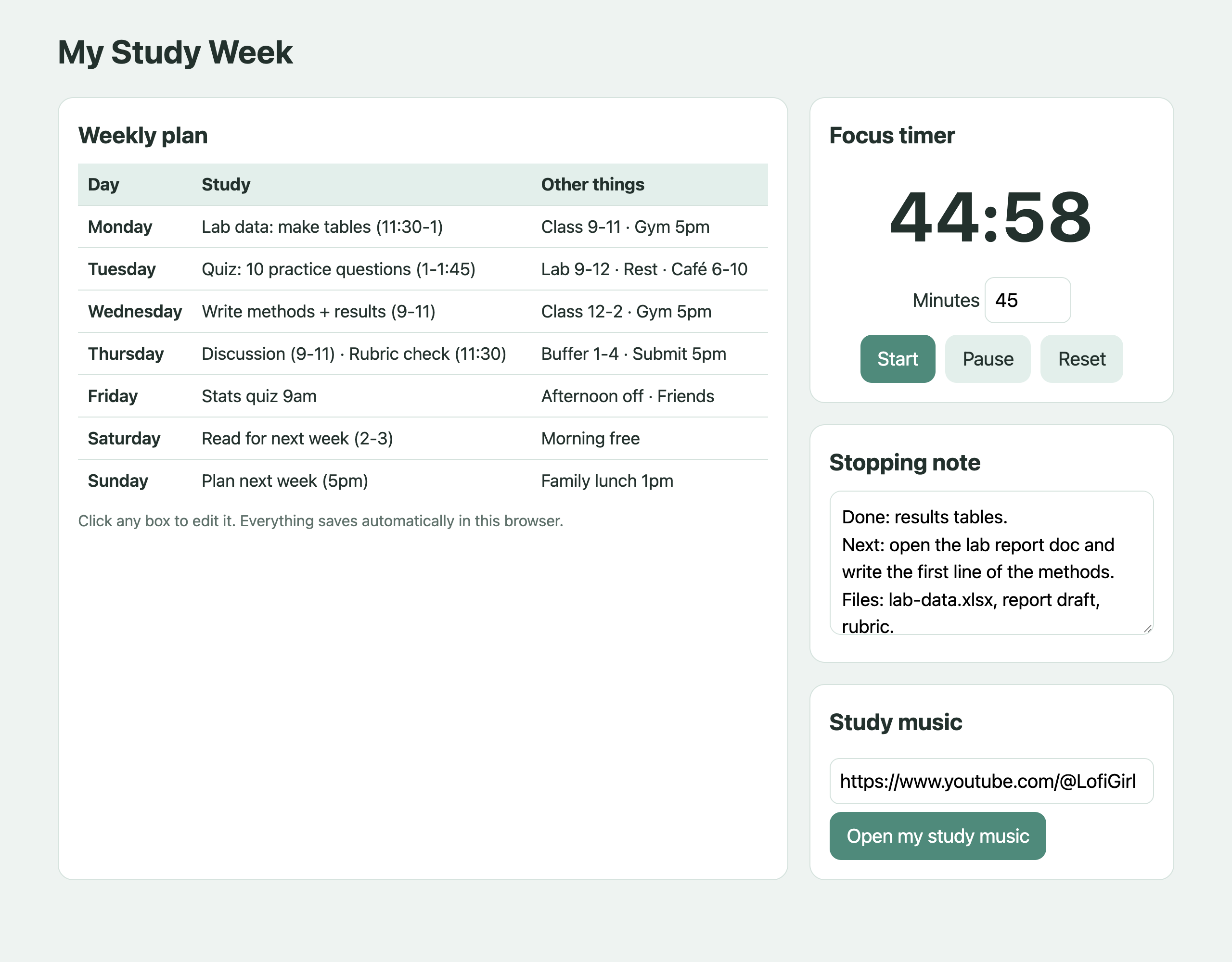
The page AI built from exactly this request, in one go.
Two-minute break
Stand up, stretch, get some water, rest your eyes, or stay exactly where you are.
If you'd like to, write one thing in the chat that you might try this week.
Next: understanding and remembering what you study.
Understanding and remembering what you study
How learning works, turning readings into study guides, asking for explanations that make sense to you, practice questions, checking your working and preparing for exams.

Four things research tells us about how we learn
1 · Recalling beats rereading
Trying to remember something, even when you get it wrong, strengthens memory much more than reading it again.Roediger & Karpicke, 2006
2 · We remember what we produce
Information you explain, answer or write yourself is remembered better than information you only read.Slamecka & Graf, 1978
3 · Spread it out
Several short reviews over days and weeks work better than one long session the night before.Cepeda et al., 2006
4 · Familiar isn't the same as learned
A clear summary can make a topic feel familiar before you can actually use it. Testing yourself shows the difference.Bjork, Dunlosky & Kornell, 2013
What this means for AI: the most useful study requests get you to recall, explain and answer. Reading summaries is only a starting point.
Turn a dense reading into a study guide
Give AI the chapter, article or lecture slides and ask for a study guide with:
- A one-paragraph overview
- The key terms, each with a plain explanation and an example
- A simple diagram of the main process
- 10 flashcards
- Practice questions, with the answers kept separate
- Page or section numbers for each point, so you can check the original
Make me a study guide from this chapter: overview, key terms with examples, a simple diagram, 10 flashcards and practice questions with answers at the end. Give the page number for each point.
Key terms
- Selective pressure (p. 342): the antibiotic kills the non-resistant bacteria, leaving the resistant ones to multiply.
- Horizontal gene transfer (p. 344): bacteria passing resistance genes directly to other bacteria…
Ask about the exact part you don't understand, in the way that works for you
| If you need… | …you could say |
|---|---|
| Simpler first | "Explain this like I'm 10. Then explain it again with the proper terms." |
| Another angle | "I'm tired and I'm not getting it. Give me five different ways of explaining this." |
| A picture | "Draw this as a labelled diagram or a flow chart." |
| An example | "Show me one real example, step by step." |
| Slower | "Explain only the first part, then wait for my question." |
- Analogy: weeding a garden with a weedkiller that misses one tough weed. Next season, that weed is everywhere.
- Story: a patient stops antibiotics on day 3. The weakest bacteria are dead, and the toughest survive and regrow.
- Numbers: 1,000,000 bacteria, 10 resistant. After treatment: 10 left, all resistant.
- Diagram: mixed population → antibiotic → survivors → resistant population
- One line: the drug doesn't create resistance, it selects for it.
For long academic articles, find the argument before you read
- Ask AI: "Which five sentences carry the main argument? Give the page for each."
- Read those five sentences in the original.
- Now read the article around them. You know what you're looking for, so the dense parts make more sense.
- Afterwards, write the argument in three sentences yourself and ask AI what you missed.
Why this order?
A summary on its own can replace the reading. This way, AI gives you a map and you still do the reading, with a clear idea of where you're going.
It works especially well if long texts overwhelm you or you lose your place.
Keep each course's readings together in NotebookLM
NotebookLM (free from Google) answers questions using only the sources you put in it, and shows you where each answer comes from.
- Make one notebook per course. Add readings, lecture slides and transcripts all semester.
- Ask questions and click the citation to see the exact passage.
- Make an audio overview (a podcast-style discussion of your readings) for the walk or bus.
- Make a mind map, flashcards or a quiz from the whole course.
A question worth asking before exams
Add the course outline, the lecture slides and a past exam, then ask:
Explain it back in your own words, and let AI find what's missing
- Open voice mode.
- Explain the idea out loud as if to a curious friend, without looking at your notes.
- Ask AI only to listen, and at the end to tell you what was correct and what you missed or got wrong.
- What it says you missed is what you study next.
This uses two things from the learning slide: you're recalling, and you're producing the explanation yourself.
- You said the antibiotic causes the mutation. The mutation is random and happens first.
- You didn't mention bacteria sharing resistance genes with each other.
Turn lectures and readings into practice questions
Give AI a lecture transcript, slides or a reading, and ask for a mix of question types:
| Type | Example |
|---|---|
| Recall | What is horizontal gene transfer? |
| Explain | Why does stopping antibiotics early matter? |
| Apply | A farm uses antibiotics in animal feed. Predict what happens. |
| Spot the error | "Antibiotics work against viruses too." What's wrong? |
Answer before you look at the answers. Getting it wrong first still helps you remember.
Quiz me on this lecture: 8 questions, mixed types. Ask one at a time and wait for my answer. After each answer, tell me what was right, what was missing, and where in the lecture to look.
Check your problem-solving steps without seeing the full solution
- Take a photo of your handwritten working.
- Ask AI to read it back first, so you know it has read your handwriting correctly.
- Ask it to point to the first line that goes wrong, without fixing it.
- Ask for a hint only if you're still stuck.
- Then ask for two more problems with the same trap.
Read back what you see. Then tell me the first line with a mistake. Don't fix it and don't show the answer.
Line 2 is where it goes wrong. Look again at what the standard error formula divides by.
Use a mode that asks you questions instead of giving you answers
Claude
Learning style. In a chat, open Search and tools → Use style → Learning. Claude then guides you with questions instead of giving the answer straight away.Gemini
Guided Learning. Breaks a topic into stages, uses diagrams, and asks you to explain your thinking before it moves on.ChatGPT
No built-in study mode any more. It was removed in April 2026. Make your own: save the request below in your custom instructions or a course Project.A step-by-step way to prepare for an exam with AI
1 · Gather
Put the course outline, lecture slides, transcripts and readings into one notebook or project.2 · Make questions
"30 questions: 10 explain, 10 apply to a new case, 10 spot the error. Answers in a separate section."3 · Flashcards
"Turn the key definitions into a front/back CSV file for Anki." Import them, and Anki schedules your reviews.4 · Space it out
Add three short review sessions to your weekly plan before the exam. Don't cram them into one night.5 · Practice exam
"Set me a 30-minute practice exam in the style of this past paper. Don't show the marking guide yet." Do it without AI or notes.6 · Mark it twice
Mark it yourself first, then ask AI to mark it using the marking guide. Where your marks differ is what to study next.Writing in your own voice
Using AI as a reader, getting feedback without handing your writing over, and comparing options before you make your own choices.

Check what your course allows before you use AI on assessed writing
At AUB, each instructor sets the rules on AI for their course. What's allowed in one course may not be allowed in another.
If the syllabus doesn't say, ask the exact question:
Usually fine to ask for
Feedback on clarity and structure, where a reader gets confused, whether you've answered the question, spelling and grammar.Often not allowed
AI writing sentences or paragraphs that you submit as your own, unless the course says so.AUB, Guidelines for the Use of Generative AI Tools in Courses.
Ask AI to read your draft and tell you where a reader would get lost
Ask for a reader's response before any rewriting:
- What do you think this paragraph is saying?
- Where did you have to guess what I meant?
- Does it answer the assignment question?
- Don't rewrite anything.
If AI's summary of your paragraph isn't what you meant, a human reader may have misread it too.
"Antibiotic resistance is a big problem. It happens because of overuse and this is important because it affects things in hospitals and other places. Therefore we need to change how they are used."
- "affects things": which things?
- "other places": where?
- "how they are used": by whom? Doctors? Farms?
Show AI how you write, so its feedback keeps your voice
- Give AI two or three pieces of your writing that sound like you.
- Ask it to describe your voice: sentence length, tone, words you like, habits.
- Correct anything it gets wrong.
- Add the description to your How I Work note.
- From then on: "Give feedback that keeps my voice. Don't make it sound more formal than I am."
- Short, direct sentences, with a longer one to explain
- You use real examples before general points
- You ask a question to start a new paragraph
- You avoid words like "furthermore" and "moreover"
Ask to see different ways a paragraph could go, then write your own
Once you know what you want to say, it can help to see a few different approaches side by side: a different order, more evidence, or a stronger opening.
Use them to compare and decide. Then close them and write your paragraph in your own words.
Check your course rules first. Reworking AI sentences into your own doesn't make them yours to submit.
- Claim first: state the argument, then one statistic, then the mechanism.
- Case first: open with one hospital example, then generalise.
- Counter-argument: acknowledge farming's role, then argue hospitals matter more.
- Cause and effect: prescribing → selective pressure → resistant infections.
Before you submit, check the draft against the brief and check every source
- Open every source yourself. AI can invent references that look real, or say a source claims something it doesn't.
- Check numbers and quotes against the original.
- Acknowledge AI use the way your course requires.
- Keep your drafts. They show how your work developed.
Using AI mindfully
What AI is good and bad at, privacy and integrity, asking people for help, and your question about whether we're using it too much.

What AI is good at, and where it goes wrong
Good at
- Explaining the same idea in many different ways
- Organising messy information into lists, tables and plans
- Making practice questions from your material
- Being patient at 2am when nobody else is awake
- Building small tools you describe
Goes wrong when
- It states wrong facts, numbers or references confidently
- It agrees with you too easily, even when you're wrong
- It doesn't know your course's rules or what your lecturer emphasised
- It can't tell what you understand unless you show it
- It gives the answer when practising would have helped you more
Three checks before you rely on an answer
1 · Check the source
Does the reading, lecture or textbook actually say this? Ask AI for the page, then look.2 · Ask it to argue back
"What's the strongest reason this answer could be wrong?" A confident answer isn't always a correct one.3 · Explain it without the screen
Close the chat and explain it out loud. If you can't, you don't know it yet, and that's useful to find out.Privacy and integrity: what to check
| Before you… | Check… |
|---|---|
| Use AI on assessed work | What does this course allow, and how should I acknowledge it? |
| Upload a file | Am I allowed to share it? Does it contain other people's names, work or personal details? |
| Share personal information | Would I be comfortable with this being stored? Leave out health details, ID numbers and anything about other people. |
| Record a lecture | Does the lecturer or course allow recording and transcripts? |
| Submit anything | Can I explain every part of this in my own words? |
AUB guidelines: aub.edu.lb › Teaching and Learning with AI
Nobody chose "asking for help", but AI shouldn't be the only help you have
AI can be a low-pressure first step: working out what your question actually is, or practising how to ask it. After that, people can do things AI can't.
People and places at AUB
- Your instructors and TAs: office hours, especially early when a plan won't fit
- Accessible Education Office: confidential support and accommodations for students with disabilities
- MINDS Student Network: people who understand
"Should we actually be using AI as often as we do?" What the research says so far
Answers vs hints
About 1,000 high school maths students. Those who used ChatGPT freely did better in practice, but 17% worse in the exam without it. A version that gave hints instead of answers didn't cause that drop.Bastani et al., PNAS, 2025
Trust and thinking
319 professionals. The more they trusted AI, the less critical thinking they reported doing. The more they trusted their own ability, the more they thought critically.Lee et al., Microsoft Research, 2025
Writing and memory
A small study of 54 people writing essays. Those using ChatGPT showed less brain engagement and most couldn't accurately quote their own essay afterwards. It's early, not yet peer reviewed.Kosmyna et al., MIT Media Lab, 2025
So far the research suggests how you use AI matters more than how often. It can harm learning when it does the thinking the task was meant to build, and much less so when it makes you do that thinking yourself.
My answer: some support should stay, and some should fade
Support that can stay
Planning, organising, getting started, reading support, translation, reminders, managing energy.
These remove barriers that aren't what your course is assessing. In inclusive education we don't ask someone to stop using glasses or a communication device once they're "good enough". Use these without guilt.
Support that should fade
Explaining ideas, recalling, solving problems, building an argument, writing.
These are what your course is trying to build, and struggling with them is part of how they're built. Use AI to make you practise them more, and check regularly that you can do them without it.
Leave some room for play
The third part of Rhythm, Insight, Play. The same tool that plans your week can be somewhere to think for pleasure, with no assignment attached.
- Mash up two stories you love into a new one
- Explore a subject you're curious about but not studying
- Make a song, a game or a strange idea
Rest and play aren't wasted study time. They help the rest of the week work.
Choose one thing to try this week
| If you want help with… | Try this first |
|---|---|
| Your week | Talk through everything out loud in voice mode. Let AI ask questions, then ask for a plan with rest and spare time. |
| Getting started | "Give me one two-minute action, then wait." Say "smaller" if you need to. |
| A dense reading | Ask for a study guide with page numbers, then explain it back out loud. |
| Exams | Turn a lecture into mixed practice questions, one at a time. |
| Writing | Ask AI to read your draft and tell you where it got lost. No rewriting. |
| All of it | Write your How I Work note and save it in your AI tool. |
Everything from today, in one place
The slides
tools.theuniversalsandpit.org/
smarter-studying
Student strategies
Every request from today, ready to copy.
tools.theuniversalsandpit.org/
smarter-studying/strategies
How I Work template
Build your note with suggestions you can click.
tools.theuniversalsandpit.org/
smarter-studying/how-i-work
Tools I've made
Alongside (studying alongside someone) · Spoon Theory planner · First Strings (small first steps) · tools.theuniversalsandpit.org
Further reading
Rhythm, Insight, Play (theuniversalsandpit.org) · Executive Functioning Strategies, Positive Partnerships · AUB Guidelines for the Use of Generative AI Tools in Courses
Your questions
Bring a study problem you have right now: a reading, an assignment, a week that won't fit. We'll work out together how AI could help with it.
Thank you
Craig Smith · The Universal Sandpit